
Document Management Essentials
Before you start anything else in terms of content, check these out first.
Purview is the backbone of M365 and controls many aspects of the platform. As an extension, it also controls many aspects when it comes to managing content and files stored on the platform. Make sure you tweak these since Microsoft is notorious for not fixing backward which means that any setting changes made only apply from this moment onwards. So get these things right.
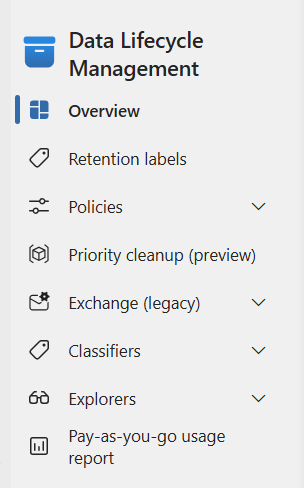
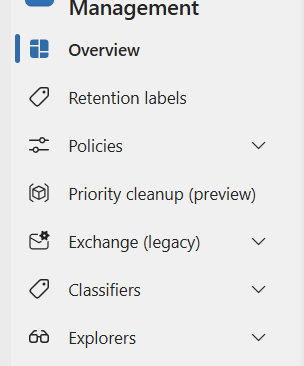
In terms of managing content and documents, the Data Lifecycle Management area will be the most important. You can see
Retention labels Creates and publish document labels which will be covered in a separate article.
Policies This is where retention and disposition policies are created and maintained. i.e. where we can implement the auto-deletion of files and control the triggers and timing. There will be a whole article on this as the topic is quite extensive.
Classifiers Predominately for setting up of Trainable Classifiers and Sensitive Info types which applies automation to identifying and classification of files.. These will be covered in another article for a wider explanation.
Explorers Very useful for getting an overview of data tagging, classifications and policy activities. Tells you how well (or not well) your settings are doing and how many
We are ignoring some of the other menu items as they either have limited value or are in Preview, which means that Microsoft has this in Trial mode and the functionality can changed or removed at any time.
Data Lifecycle Management
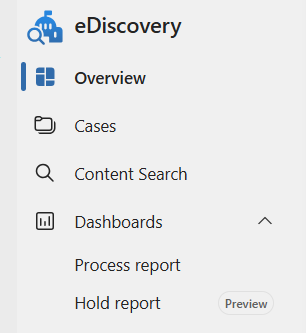
eDiscovery performs some seriously powerful searches and this function is generally reserved for investigative or audit functions with an organisation. This is because cases are able to interrogate ALL aspects of M365, profiles, content, data and activity across the tenant.
Cases Creates and run powerful content searches across the tenant.
Content Search Run search cases across the tenant or for specific platforms, sites and locations.
Dashboards Process and hold reports which are outputs from the case and content search runs.
eDiscovery
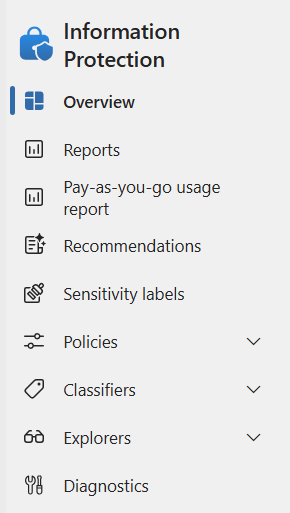
More policy settings and configurations for protecting data and information on the tenant. Key controls are below, but will be expanded in other articles (otherwise this will be VERY long)
Sensitivity Labels Defining, setting and prioritizing of sensitivity labels which will impact content across the areas applied to. Definitely important to get right.
Policies This is where we can apply auto-classification labels on documents, as well as define label and protection policies.
Classifiers Where we can setup and test trainable classifiers and look at EDM policies
Again, we are going to ignore some of the other menu items as they either have limited value.
Information Protection
M365 Simplified
Unfiltered technical truth for enterprise administrators and their users
Go to
Home
Articles
About
Contact
Disclaimer
Privacy
© 2026 M365 Simplified. Not affiliated with Microsoft Corporation.
PowerShell-first documentation
Contact: vwh187@gmx.co.uk
Phone: 07891234728