
Diverting email attachments to SharePoint
Flow for sending email attachments to a SharePoint document library - Basic level flow
This flow activates when an email is received and save the attachment into a document library. Useful for mass email collections and saves time from needing to extract attachments separately.
Objective
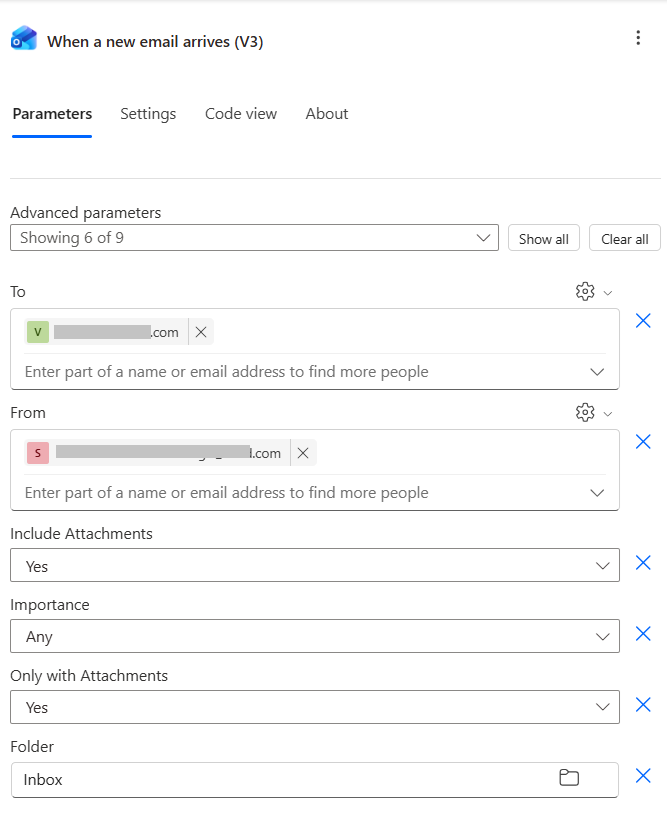
Create an automatic trigger using the "When a new email arrives (V3) which activates when an email arrives.
To - Identifies emails that have emails matching this email. You can add multiple emails, and though it uses profiles to prepopulates, you can use any kind emails.
From - As above, but using the From emails
Includes Attachments - This needs to be Yes in order for this work.
Only with Attachments - This also needs to be Yes in order to work.
Folder - Indicate which folder the email comes into. typically Inbox, but you can use other folders if you have multiple flows doing the same thing.
Trigger - When a new email arrives (V3)
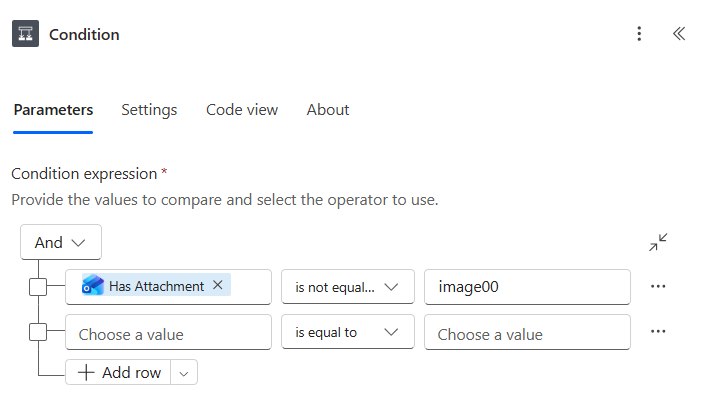
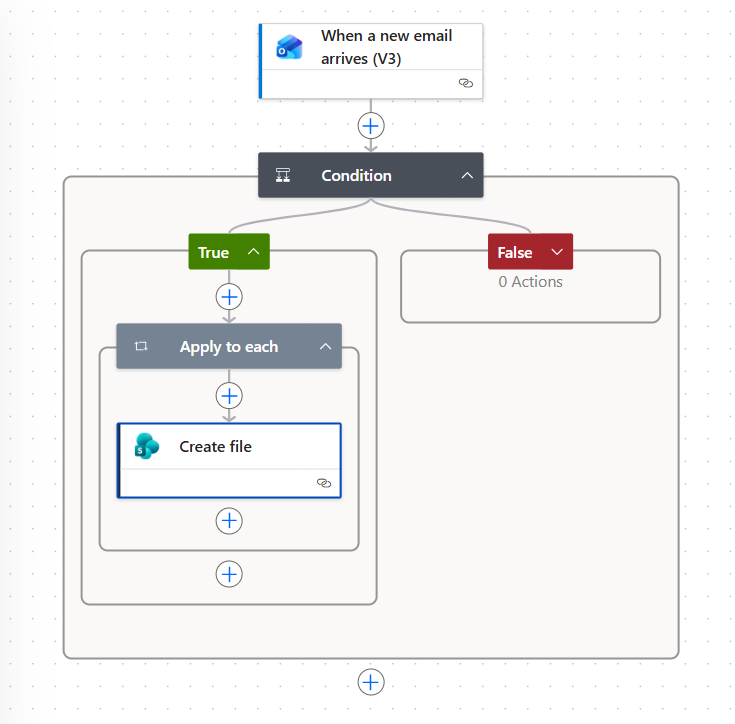
Adding a condition after this helps decide which attachment criteria to place. I've included this so that all attachment will come through, so the "image00" is just a nonsense statement
Condition
Under the Yes branch for this condition statement, we select the output "Attachments" and use the expression below. This ensures that the attachment is selected.
We leave the False branch false as there is no other option.
Branch - True
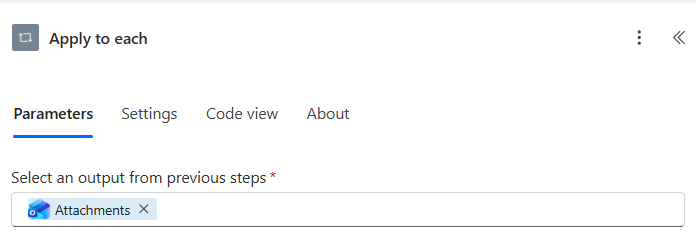
triggerOutputs()?['body/attachments']
Under the Apply to each in the True branch, we need to have a "Create File" so that the attachment is "created" in the area that we want.
Branch - True - Create File
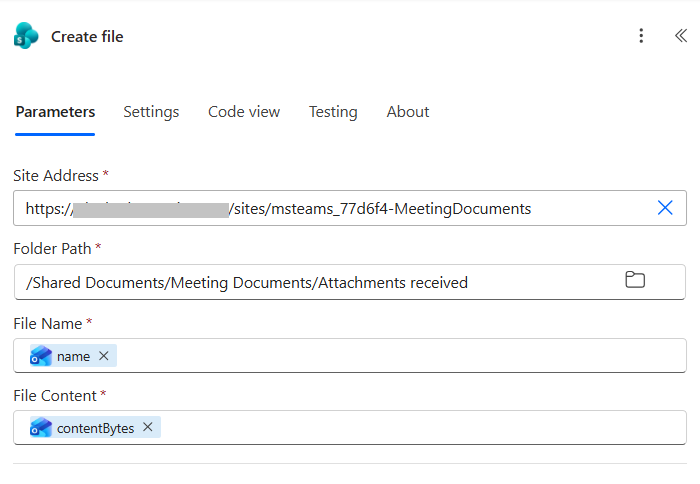
items('Apply_to_each')?['name']
File Name
File Content
items('Apply_to_each')?['contentBytes']
Once the flow is completed, save it and be sure to test the flow before making it active. You will need to kick it off from the triggers illustrated in the first section and the result should work fine.
Overall Flow
M365 Simplified
Unfiltered technical truth for enterprise administrators and their users
Go to
© 2026 M365 Simplified. Not affiliated with Microsoft Corporation.
PowerShell-first documentation
Contact: vwh187@gmx.co.uk
Phone: 07891234728